
How to Run WhatsApp Business Campaigns from Antigravity: A Step-by-Step MCP Guide
Antigravity reads MCP servers from a config file. Add DripRaven and it can run your WhatsApp Business campaigns by chat, sending approved templates in bulk to your contacts. This is business messaging on your own number, not personal WhatsApp.
Antigravity is an agentic environment, so it can drive external tools over the Model Context Protocol. Point it at DripRaven, a WhatsApp MCP server. It can import contacts, build segments, send approved templates and schedule follow-ups without ever opening a dashboard. The setup is a one-time config edit. It takes a few minutes.
What you need
- Antigravity installed, with access to edit its MCP config file.
- A WhatsApp Business number. You can connect one during setup. This uses the official WhatsApp Business Platform, so you need a Meta Business account.
- A DripRaven account. Free to start. You connect your own number, so Meta bills you directly for messages.
Step 1: Add DripRaven to your MCP config
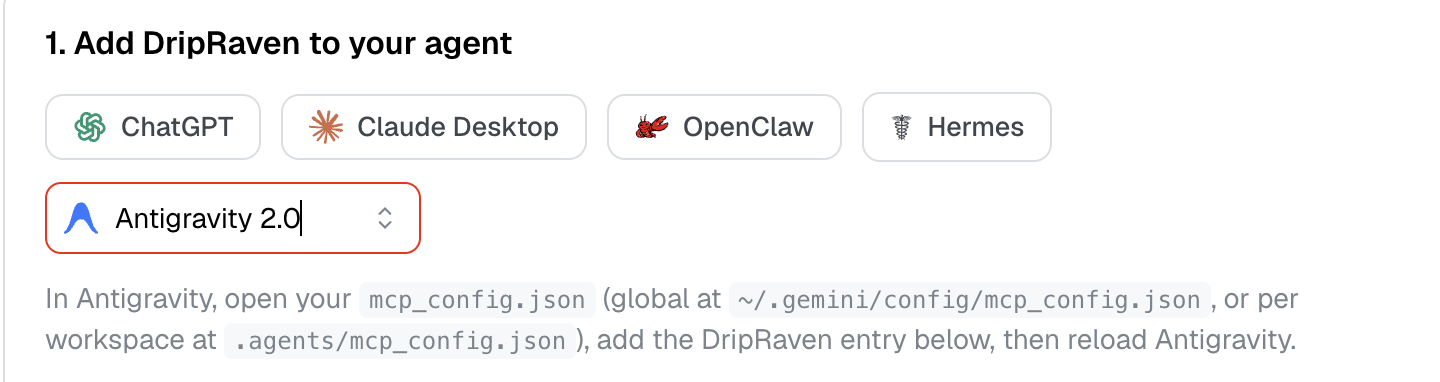
Antigravity uses a config file that lists your MCP servers. Open your mcp_config.json, either the global one at ~/.gemini/config/mcp_config.json or a per-workspace file at .agents/mcp_config.json. Add the DripRaven entry:
{
  "mcpServers": {
    "dripraven": {
      "serverUrl": "https://app.dripraven.com/mcp?key=YOUR_DRIPRAVEN_KEY"
    }
  }
}
Replace YOUR_DRIPRAVEN_KEY with your own key. In DripRaven, open the connect screen, choose Antigravity and copy the key URL it shows. Treat that URL like a password: keep it in a secret store and do not commit it to version control.
Step 2: Reload Antigravity
Reload Antigravity so it picks up the new server. DripRaven then appears as an available MCP tool. Ask What is my WhatsApp status? to confirm the connection is live.
Step 3: Connect your WhatsApp Business number
- Connect my WhatsApp Business number.
DripRaven returns a secure link that runs Meta’s official signup. Complete it once to link your number. It stays your account on your number, so Meta bills you directly for conversations.
Step 4: Import and segment your contacts
- Import these contacts (paste a list, or add them one at a time).
- Build a segment of everyone in the UK tagged summer.
DripRaven resolves the segment from tags, countries and custom fields, so you target by describing the audience.
Step 5: Create and preview a template
WhatsApp requires approved templates for broadcasts. DripRaven handles that for you. Ask Antigravity to draft one. DripRaven submits it to Meta for approval and maps your personalization to the right contact fields:
- Create a template for a summer sale with the customer first name.
- Preview the broadcast to my summer segment.
The preview shows exactly what each contact will receive before anything sends.
Step 6: Send or schedule, then check the results
- Send it now, or Schedule it for tomorrow at 10am.
- How did the campaign do?
DripRaven sends through the official WhatsApp Business API on your connected number, then reports sent, delivered and read counts back. From here you can chain a broadcast to everyone who did not reply, all from the same session.
Why Antigravity plus DripRaven
Antigravity is the interface. DripRaven is the operational layer that turns the WhatsApp Business API into something you run by chat: managed contacts, approved templates, safe broadcasts, scheduling and analytics. Because it speaks MCP, the same account runs from Claude and ChatGPT too.
Frequently asked questions
Where does the DripRaven config go in Antigravity?
In your mcp_config.json. That is at ~/.gemini/config/mcp_config.json for a global setup, or .agents/mcp_config.json inside a specific workspace. Add the DripRaven entry, then reload Antigravity so it picks up the server.
The config URL contains a key. Is that a secret?
Yes. The key URL authenticates as you, so treat it like a password. Keep it in a secret store, do not commit it to version control and do not share it. If it is ever exposed, open DripRaven and regenerate the key.
Do messages come from my own WhatsApp number?
Yes. DripRaven sends through the official WhatsApp Business API on your own connected number, using approved templates. Meta bills you directly for the conversations.
Do I need to write code to run campaigns?
Only the one-time config edit to add the server. After that you describe campaigns in plain language, the same as any chat. Broadcasts use approved templates and respect opt-outs.
Does this work with assistants other than Antigravity?
Yes. DripRaven speaks MCP, so the same account works from Claude, ChatGPT and any other MCP-capable assistant. Only the way you add the server differs per tool.
Related reading
- WhatsApp with Antigravity
- Run WhatsApp campaigns from Claude
- The WhatsApp MCP server for AI agents
- All DripRaven integrations
Run your first WhatsApp campaign from Antigravity
Add DripRaven to your MCP config, link your WhatsApp Business number and send by chat. No dashboard, on the official WhatsApp Business API.